Position fixed and premature optimization
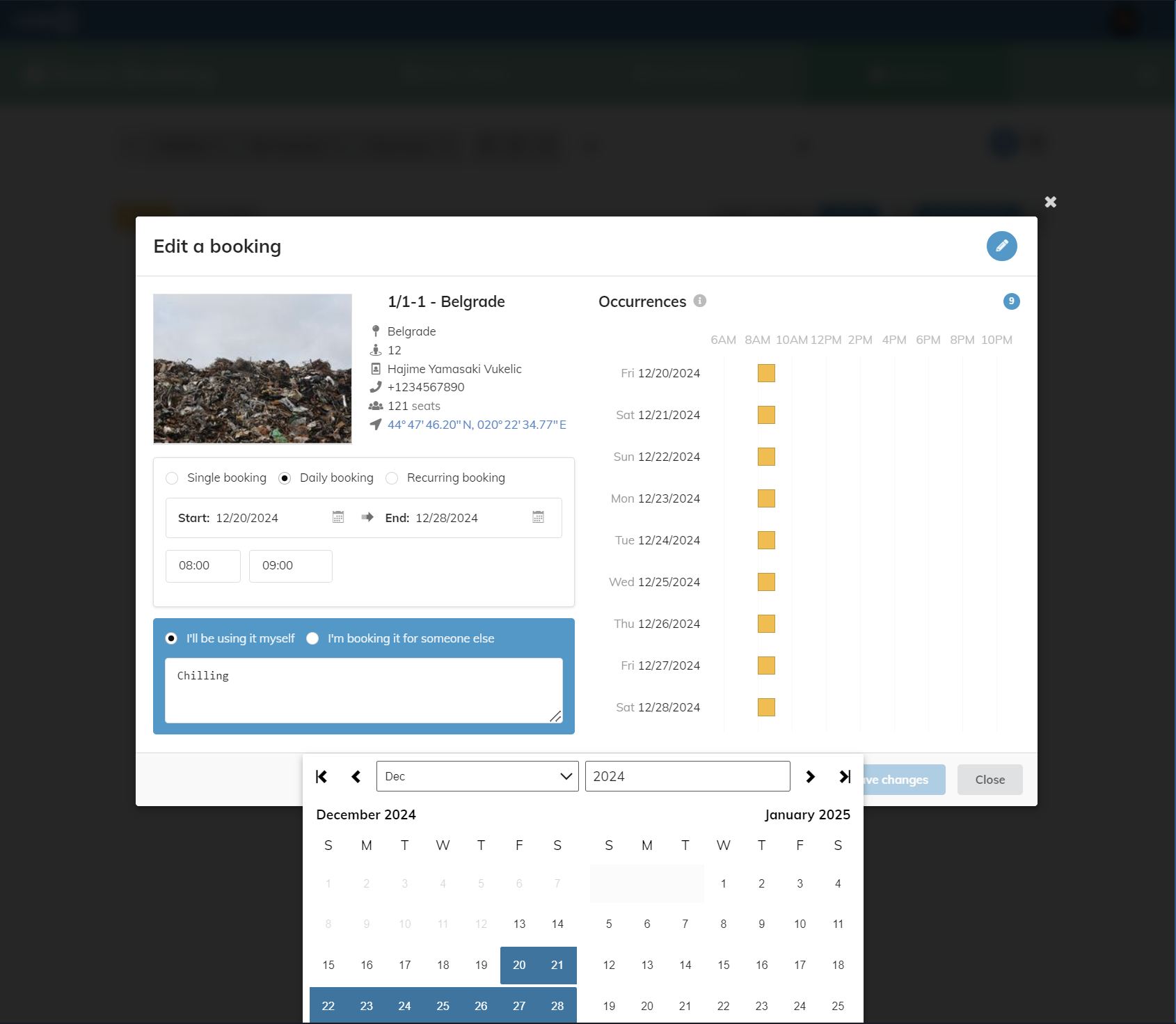
I'm working on a dual-calendar picker. It's been going mostly smoothly – though certainly not as smoothly as I'd like as it's a legacy React project with a mix of Semantic UI – until I hit a snag. A colleague reports an issue with positioning that affects the control when placed inside a SUI modal dialog.
Not another transform hell!
My initial reaction is that of nausea. I've already made so many compromises in the design of the positioning logic, moving from beautifully simple to ugly but working. I can't really imagine what else I'd run into except the worst case scenario: that the dialog is using transforms to position itself, screwing up my position-related styles.
I'm nervous because I don't own the SUI code, and if they're actually using transforms, my only option would be to move the popup form where it is now – conveniently placed right after the input element – to somewhere outside the dialog (probably inside the body). Not a great fix. It's a substantial change in the design and such changes usually introduce bugs. I cursed SUI profusely.
I'm starting to inspect the elements, and I quickly learn that the implementation isn't actually using transforms. That leaves me with a head scratcher. What else could it be?
Finding the real culprit
I start exploring the wonderful world of things affecting other things, and eventually come up with this list:
transform(which I ruled out, but including it for completeness)filterperspectivecontainwill-changeopacitymix-blend-mode
Anyway, this is a good start. But I now have a bigger problem. How do I tell what element with what property is going to cause the position to go wonky? And could a combination of multiple elements with their properties do this?
I try randomly poking at it but it quickly becomes evident I'm not lucky today. I need a more systematic way.
I decide to whip out ChatGPT. After about 20 minutes of back and forth, it finally manages to spit out a working function that finds all possible combinations of elements and their properties potentially affecting the layout, and lets me go through them one by one until I hit the jackpot. Then I let it know I hit the jackpot, and it lets me know what my reward is.
function createFixer(element) {
    // Map of properties and their default values
    const propertyDefaults = {
        transform: 'none',
        filter: 'none',
        perspective: 'none',
        contain: 'none',
        'will-change': 'auto',
        opacity: '1',
        'mix-blend-mode': 'normal'
    };

    // Keep track of all the ancestor elements and their original styles
    const ancestors = [];
    let currentElement = element.parentElement;

    // Traverse up the DOM tree and collect all ancestors
    while (currentElement) {
        ancestors.push({
            element: currentElement,
            originalStyles: {}
        });
        currentElement = currentElement.parentElement;
    }

    // Build a list of all combinations to test
    const combinations = [];
    const toggleStates = ['on', 'off'];

    // Generate combinations of on/off states for each element-property pair
    ancestors.forEach(({ element }) => {
        Object.keys(propertyDefaults).forEach(property => {
            const computedStyle = window.getComputedStyle(element);
            if (computedStyle[property] && computedStyle[property] !== propertyDefaults[property]) {
                combinations.push({ element, property, state: 'on' });
                combinations.push({ element, property, state: 'off' });
            }
        });
    });

    // Generate combinations of states for multiple elements
    function generateFullCombinations(combos) {
        const results = [];
        function helper(current, index) {
            if (index === combos.length) {
                results.push([...current]);
                return;
            }
            toggleStates.forEach(state => {
                helper([...current, { ...combos[index], state }], index + 1);
            });
        }
        helper([], 0);
        return results;
    }

    const fullCombinations = generateFullCombinations(combinations);

    // Track tested index and fixed issues
    let combinationIndex = 0;
    const fixedIssues = [];

    // Function to restore original styles
    function restoreStyles() {
        ancestors.forEach(({ element, originalStyles }) => {
            for (const property in originalStyles) {
                element.style[property] = originalStyles[property];
            }
        });
    }

    // The returned function
    console.log(`Number of combinations to test: ${fullCombinations.length}`);
    return function userObserver(isFixed = false) {
        if (isFixed) {
            const combination = fullCombinations[combinationIndex - 1] || [];
            combination.forEach(({ element, property, state }) => {
                if (state === 'off') {
                    fixedIssues.push({ element, property });
                    console.log(`Issue fixed: Element:`, element, `Property:`, property, `State:`, state);
                }
            });
        }

        restoreStyles();

        if (combinationIndex >= fullCombinations.length || combinationIndex < 0) {
            console.log('All combinations tested. Fixed issues:', fixedIssues);
            return fixedIssues;
        }

        const currentCombination = fullCombinations[combinationIndex];
        currentCombination.forEach(({ element, property, state }) => {
            const ancestor = ancestors.find(a => a.element === element);
            if (ancestor && !(property in ancestor.originalStyles)) {
                ancestor.originalStyles[property] = element.style[property] || '';
            }
            if (state === 'off') {
                element.style[property] = propertyDefaults[property];
            } else {
                element.style[property] = ancestor.originalStyles[property];
            }
        });

        console.log(`Testing combination ${combinationIndex + 1}/${fullCombinations.length}:`, currentCombination);

        combinationIndex++;
        return null;
    };
}
Is the code any good? Who cares. It works. Nobody but me is affected by this crap, so I'm 10000% fine with whatever it looks like... as long as it works. I didn't even look very carefully at it, tbh. 😂
To use this function, I first need to grab the reference to the mispositioned element. This is quite simple in the Chrome dev tools: right-click the element in the Elements panel, and select the "Store global variable" option.
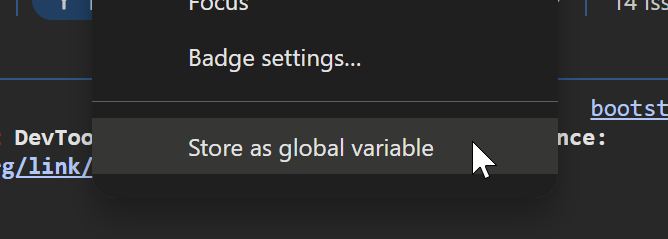
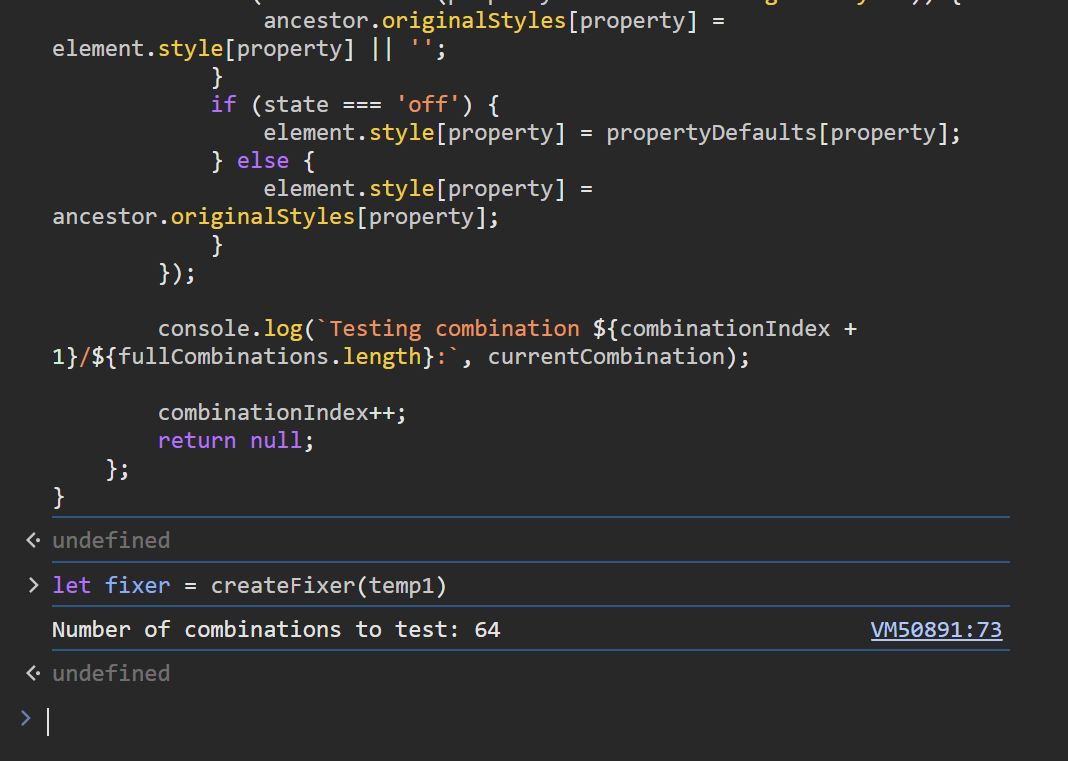
By default, I get a temp1 variable in the console, so I can pass that to
the function. Next I paste the function itself to the console, and create
the fixer function.
The fixer will try toggle different combinations of element-property every time
I call it with no arguments. If I call it with true as its only argument it
will output the last combination it tried. It should also end the search there,
or at least no progress to the next step, but it doesn't. Oh well. Doesn't
really matter.
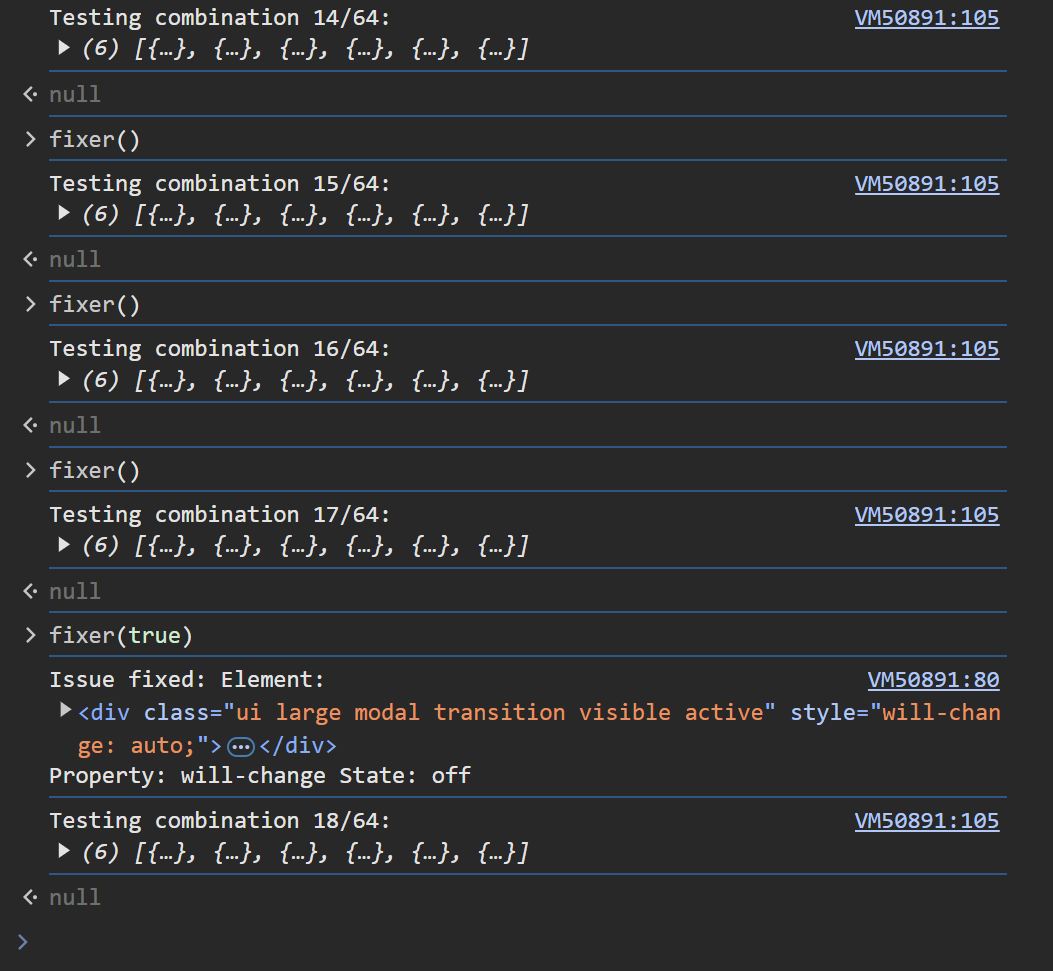
After calling the fixer 17 times, I was able to spot a difference in the
layout, and the culprit was identified. As per the screenshot, it's the
will-change property on the .ui.modal element (SUI modal dialog).
This is one of those properties that I read about and the never used. And here's why. Going through the docs again, I see a big fat warning right at the top of the page on MDN:

If you're moderately careful, you are almost never ever going to need the 'last resort' thing. As I like to say, "Just don't be stupid about it."
This is then followed by a long list of cases where it should not be used, which pretty much says you should almost always avoid it. Apparently, someone at SUI thought it would be great to boost the performance by using this property. I was just too aggravated to look at their Git history to figure out why it had been added, but since removing it didn't seem to negatively affect the performance, I decided to remove it.
The MDN doesn't mention it, but the specs do say this:
If any non-initial value of a property would cause the element to generate a containing block for fixed positioned elements, specifying that property in will-change must cause the element to generate a containing block for fixed positioned elements. (Emphasis mine.)
Premature optimization was the root of evil in this case.
Conclusion
I hope you find this little story interesting, if not helpful. CSS generally isn't very hard once you master it. However, there are still many ways to shoot yourself in the foot. Although luckily this isn't very often if you just do the normal stuff, the SUI devs wanted to go all-out with eyecandy on the dialog and successfully killed the ability to use fixed position within the dialog. Why? Because they figured they could weasel out of potential performance issues by using a fancy new CSS property.
In fact, as mentioned on the MDN page, the browser will generally try very hard to anticipate changes and optimize the performance. So you really need to be doing something quite heavy to even end up in a situation where the browser can't keep up. (Except for the usual suspects such as animating height or position offsets.)
So yeah, keep it simple. Don't use esoteric "optimization techniques". Just write code that will work well without these things.